
Plan your film.
From script to shoot.
Write the script, plan the shots, hire your crew and run the shoot in one workspace.
Google for Startups
Cloud Program
Mooiev has been accepted into the Google for Startups Cloud Program.
- 01 Google Cloud credits
- Cloud resources for continued development.
- 02 Technical resources
- Tools and guidance as we build.
- 03 Program support
- Access to the program’s support and resources.
Write a screenplay.
Type a scene, add a line of dialogue and preview the formatted page.
Start with the location and time in the scene heading.
Open a character reference.
Select a character to see their portrait and notes side by side. Close the card to compare another.
Start in the project’s Characters list.
Turn shots into frames.
Let AI plan shots from your screenplay, or write a shot yourself. Generate a storyboard frame from either.
Pick a scene from your screenplay and review the shot AI suggests.
Check the camera settings for a shot.
Find the shot you’re about to film and check its lens, aperture and framing before setting up the camera.
You’re about to film the close-up of the blue stitches. Find its setup in the shot list.
Plan the shoot day.
Check who is on set, then open the controls for the date and start time.
Open Day details for crew and weather, then choose Edit day to see the date and start time.
From crew jobs to applicants.
Find roles by shoot dates and pay. Open your own listing to read applications and see who’s been accepted.
Open Discover to browse industry posts.
Choose what each crew member can access.
Give the sound mixer view-only access to call sheets. Set view or edit access separately for each section.
Open Crew inside the project.
Show your film credits.
Show each film with its poster and the role you had in making it.
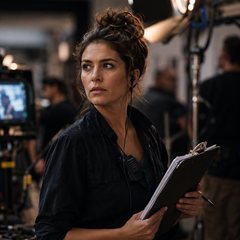 Deniz Kaya
See Deniz Kaya’s portrait and role before browsing the film credits.
Keep the conversation going.
Open the replies on the finished film’s post and see a new comment appear.
Find the film’s wrap post on Discover.
Ready to share.
Ready for set.
Read the screenplay, storyboard, shot list and shooting documents from İkinci İmza.
The production
on paper.
Open the pages used to plan the fictional film.
Five downloadable sample documents · fictional cast, crew and locations.
Track actual spend.
Update a camera rental cost and see the actual spend and variance recalculate.
Find the estimated amount and the actual spending column.
Check gear in and out.
Mark a lens as packed, then switch to the returns list when the shoot wraps.
Open the project’s Gear list and choose Load-in.
MOOIEV / OTHER TOOL CATEGORIES
Compare the tools.
Choose your workspace.
Writing, visual planning, production and the people behind it. See what Mooiev brings together alongside the main focus of common tool categories.
| Feature | Mooiev | Writing tools | Storyboard tools | Production tools |
|---|---|---|---|---|
| Scripts & writing | ✓Screenplay & AV | ●Core focus | ·Varies | ·Varies |
| Storyboards & shot lists | ✓Included | ·Varies | ●Core focus | ·Varies |
| AI-generated storyboard images | ✓Built in | ·Varies | ·Varies | ·Varies |
| Shoot-day scheduling | ✓Included | ·Varies | ·Varies | ●Core focus |
| Call sheets | ✓Included | ·Varies | ·Varies | ●Core focus |
| Production budgets | ✓Included | ·Varies | ·Varies | ·Varies |
| Crew discovery & connections | ✓Built in | ·Varies | ·Varies | ·Varies |
| Public portfolios & work credits | ✓Built in | ·Varies | ·Varies | ·Varies |
Categories describe a tool’s main purpose, not every product in that category. “Core focus” describes that purpose; “Varies” means check the specific product and plan, not that the feature is unavailable. Some tools cover more than one category. Mooiev access and limits also vary by plan.
How to read this comparison
This compares Mooiev’s documented capabilities with broad tool categories. The columns are not named competitors disguised as A, B or C, and no scores or universal absence claims are made.
- Writing tools: tools centered on drafting and formatting scripts.
- Storyboard tools: tools centered on arranging frames and planning visual sequences; AI generation is product-dependent.
- Production tools: tools centered on planning shoot days and coordinating production documents; budgeting and other features vary by product.
- Explore Mooiev’s features
- Check Mooiev’s plans and limits