
MOOIEV BLOG
A Short Film Pre-Production Example: AFTER THE TIDE
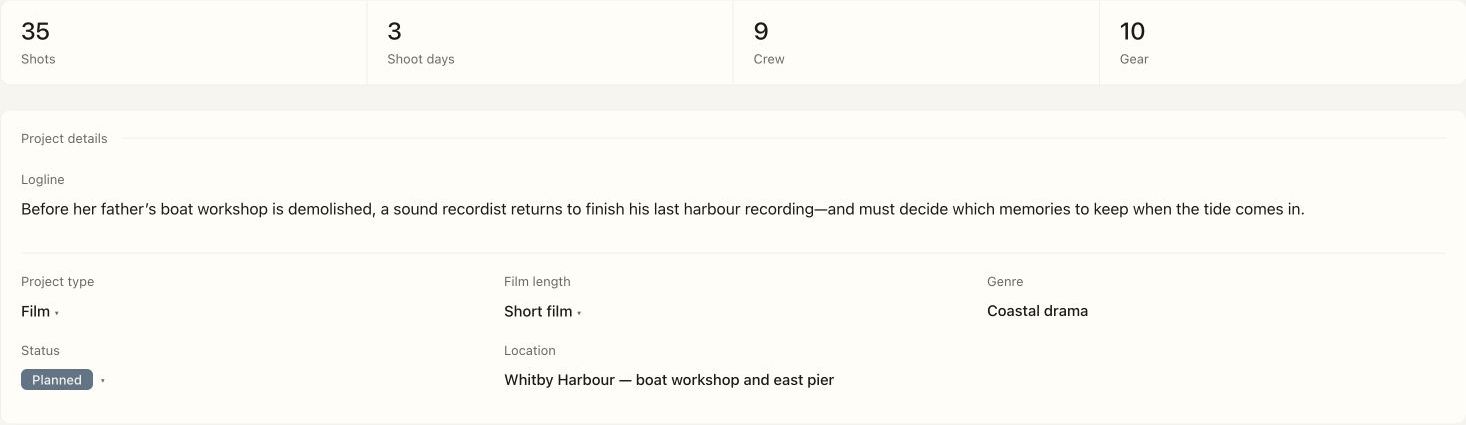
Follow a five-page screenplay through 35 shots, three shoot days, nine crew roles and real production documents in Mooiev’s original sample film.
In this article 7 sections
One fictional film with a complete working context
AFTER THE TIDE follows a sound recordist returning to her father’s boat workshop before its demolition. The production example is fictional and was prepared to demonstrate Mooiev. Its characters, collaborators and planning contacts are illustrative. The screenplay, storyboard references and document layouts are working sample materials, not proof of a completed shoot.
The project contains a five-page script, six scenes, 35 shots, three shoot days, nine crew roles and ten gear entries. Those counts describe this version of the sample. A production plan still needs real location permission, availability, timing and safety review before it can be used on set.
Turn a scene into decisions the crew can discuss
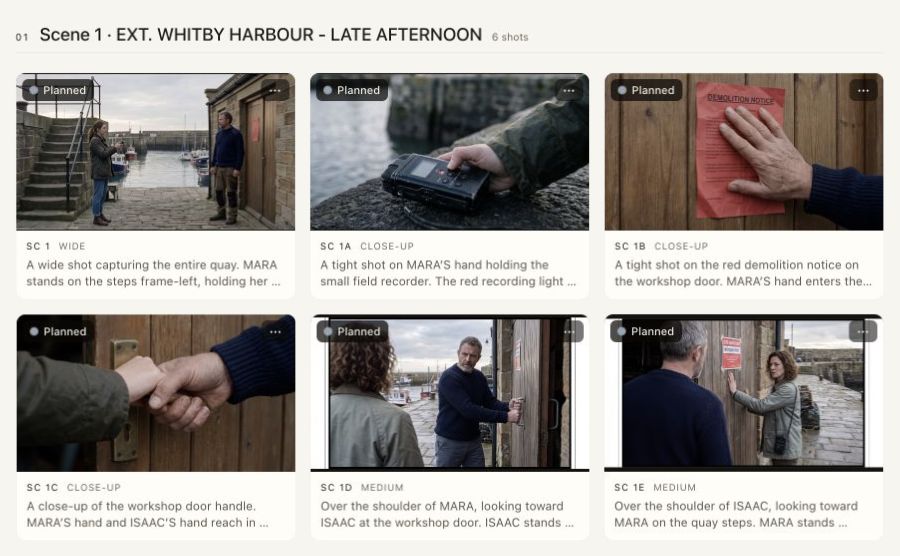
The harbour scene needs a sense of place, a relationship between the people and a readable threat to the workshop. A wide frame establishes the geography. A recorder detail connects Mara to the sound she is trying to preserve. A demolition-notice insert makes the practical deadline legible. Each shot has a job, rather than being a different angle added to make the list longer.
Read the scene before opening a reference image. The reference should help the team discuss position, coverage and continuity; it cannot decide whether a performance or dramatic beat works. In the workshop, review the direction of eyelines, the characters’ wardrobe and the colour of the changing light across the whole scene.
Storyboard example: six shots with a purpose
These six AI-assisted reference frames show how the harbour scene can move from geography to details and two character angles. They are planning references from our fictional sample, not photographs of a completed film.
Review the pair of character angles together: check the door, harbour background, eyelines and who holds each prop. A frame that changes the location or blocking needs revision before it becomes a shooting instruction. Attractive individual pictures do not establish continuity.
| Shot | Visual intention | Check with the crew |
|---|---|---|
| SC1 · Wide | Establish Mara, Isaac and the harbour | Screen direction and the workshop entrance |
| SC1A · Detail | Connect the recorder to Mara’s work | The same recorder and hand ownership |
| SC1B · Insert | Make the demolition deadline readable | Notice position and legibility |
| SC1C · Detail | Show contact with the door handle | Hand, handle and door continuity |
| SC1D · Medium | Cover Isaac at the entrance | Eyeline and relationship to the door |
| SC1E · Reverse | Cover Mara from the other side | Harbour geography and matching light |
Separate story order from shooting order
The sample distributes the work over a workshop day, a harbour-and-pier day and a dawn day. That is a planning example, not a promise that the film fits any three-day booking. The producer and first AD must check access, performer availability, setup time, travel and the actual daylight window. A scene at dawn may be short on the page while consuming a large part of the day’s logistics.
| Sample day | Planning focus | Review before issue |
|---|---|---|
| Workshop | Interior coverage and blue-hour continuity | Access, power, crew call and changing light |
| Harbour and pier | Exterior geography and location changes | Tide/access conditions, travel and cast days |
| Dawn | A limited natural-light window | Arrival, setup readiness and a fallback plan |
Use roles to make ownership clear
Nine sample crew roles are grouped into departments. A name in a crew list does not by itself make someone responsible for a shot, a day or a task. Review those assignments explicitly, then check whether each person has the access and information they need. When evaluating a collaborator, the portfolio shows their contribution alongside the project rather than presenting an unexplained image.
Open the files the crew will actually receive
The exported examples include the screenplay, shot list, shooting schedule and three call sheets. Read a whole page and zoom into a detail. Verify that text is legible, tables stay inside the page and the version you distribute matches the working schedule. The sample contact information must never be mistaken for real emergency or production contacts.
A review sequence you can reuse
- Confirm the script version and scene list.
- Give each shot a dramatic purpose and a stable identifier.
- Review reference continuity across the scene, not only one attractive frame.
- Group setups into a day that fits access, cast and light.
- Assign responsibilities and confirm access for the people doing the work.
- Export, open and check the actual documents before distributing them.